
Remove unwanted objects, change text to another language, and recreate image parts using the free browser based Photopea with AI assistance.
Absolute Beginner's Guide to Editing Images in Free Photopea
Posted on: 28th April 2026
Instructor: N/A • Language: N/A
Description
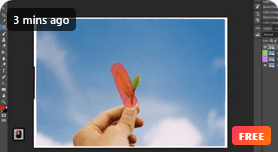
Photoshop costs money and can feel overwhelming. Photopea is a free browser based alternative that works on any device, and this course teaches you how to use it from absolute zero. You will learn to remove unwanted objects, change text in images to another language, recreate missing parts of a photo, and even use AI to help with editing. The instructor walks through real use cases step by step, including a full watch face recreation ready for marketing campaigns.
This Course Offers
- Hands on practice with the Spot Healing Brush, Healing Brush, Patch Tool, Content Aware Move Tool, and Clone Stamp Tool.
- A complete use case showing how to extract text from an image using OCR, translate it, and add the new language back into the photo.
- Techniques for modifying existing images for social media, web pages, or marketing materials without starting from scratch.
- On screen shortcut displays that help you follow along even if the accent is unfamiliar.
Why We Love This Course
- No software purchase required. Photopea runs in any browser on PC, Mac, iPad, Android, or even a phone. You can start editing immediately for free.
- The course focuses on one practical scenario after another. You learn by removing a blemish, then patching a large area, then moving an object, then translating an image. Each skill builds on the last.
- The instructor includes AI assisted editing techniques, which is rare for a free Photoshop alternative course.
- Over 5 hours of detailed walkthroughs cover everything from essential tools like the Lasso and Magic Wand to advanced path work with the Pen Tool.
A quick heads up. Some students mention the instructor's accent can be difficult to follow, but the on screen shortcuts and visual demonstrations help bridge that gap. If you need professional image editing but cannot afford Photoshop or find it too complex, Photopea is a legitimate alternative, and this course gives you a complete tour.
Course Eligibility
- Absolute beginners who have never edited an image before.
- Social media managers who need to create or modify visuals without a design budget.
- Small business owners and marketers who want to edit product photos without paying for Photoshop.
- Students or professionals who want to learn image editing fundamentals before investing in paid software.
- Anyone who has tried Photoshop and found it too expensive or too complicated. Photopea works similarly but with a gentler entry point.
Course Requirements
- No editing experience is required.
- No software purchase is required. Everything used in the course is free.
- Just a device with a browser and an internet connection.
Interested in exploring more lessons? Check out our full course library to continue building your skills and advancing your learning journey.