
Take your first step into 3D with this free Blender crash course, learning modeling, materials, lighting, and animation by building a complete flying plane scene from scratch.
Free Blender Crash Course!
Posted on: 20th March 2026
Instructor: N/A • Language: N/A
Description
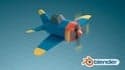
Blender is one of the most powerful and accessible 3D creation tools in the world, and this crash course is designed to be your very first step into that universe. It is a gentle, project-based introduction that assumes you know nothing about 3D or Blender. You will start by getting comfortable with the interface and basic navigation, then move on to modeling a simple airplane, adding materials and lights, and finally animating it in a scene. The focus is on learning by doing, giving you a complete, finished project and the confidence to continue exploring on your own.
This Course Offers
· A Gentle Introduction to the Blender Interface: You will learn to navigate the 3D viewport, select and transform objects, and understand the basic layout, removing the intimidation factor of a new, complex tool.
· Hands-On Experience with Foundational 3D Skills: The course covers the basics of polygonal modeling, creating and applying simple materials, setting up lights, and keyframe animation.
· A Complete Project from Start to Finish: You will build a flying plane scene from scratch, applying each new skill in a practical context and ending with a rendered video you can share.
· A Solid Foundation for Future Learning: By completing this crash course, you will have the core vocabulary and understanding needed to move on to more advanced Blender topics.
Why We Love This Course
1. It is the perfect first step for absolute beginners: The course requires no prior knowledge and builds skills slowly, making the vast world of 3D feel approachable and fun.
2. It is project-based and hands-on: You are not just learning tools in isolation; you are building a real scene, which makes the learning process engaging and memorable.
3. The instructor has over 15 years of teaching experience: Gustavo Rosa's background in teaching 3D at universities shines through in the clear, structured, and patient delivery of the material.
4. It has helped over 118,000 students get started: The massive number of positive reviews is a testament to the effectiveness of this course for its target audience.
A Note on Course Currency
This course was created for Blender 2.8. While the fundamental concepts of modeling, animation, and rendering are timeless, the specific interface layout, menu locations, and some shortcuts have changed in newer versions of Blender (3.x, 4.x). You can absolutely still learn from this course, especially the core principles, but be prepared to occasionally search for a tool in your current version of Blender or use it alongside more up-to-date reference materials.
Course Eligibility
· Designers, animators, and artists who are curious about adding 3D to their skillset.
· Complete beginners who have never used 3D software and want a gentle, project-based introduction.
· Hobbyists and enthusiasts interested in learning 3D modeling and animation for personal projects.
· Anyone who wants to understand the core workflow of Blender before moving on to more specialized or advanced courses.
Course Requirements
· A computer that supports OpenGL 3.3 or higher, with Blender 2.8 or a newer version installed.
· Basic computer understanding and a willingness to learn a new creative tool.
· No prior experience with 3D or Blender is needed.
Interested in exploring more business lessons? Check out our full course library to continue building your skills and advancing your learning journey.